Stop answering the same Airbnb guest questions. Make a QR guide in 2 minutes.
Create a mobile guest guide for check-in, Wi-Fi, house rules, local recommendations, and checkout. Print the QR poster, place it by the door, and give guests one link before they message you.
Preview the exact guest flow before creating your own. No signup needed. Need a printable QR sign template? Try the Airbnb QR code generator, VRBO QR code generator, house manual QR code, digital welcome book QR code, printable QR code signs, Airbnb Wi-Fi QR code Or create an Airbnb check-in instructions QR code or a hotel guest guide QR code or an Airbnb house rules QR code or an Airbnb welcome sign QR code.
Your guests read in their language. Automatically.
Every recommendation, welcome message, and house rule is AI-translated into 7 languages — no copy-paste required. Switch languages below to see it live.
- EN · KO · ZH (free)
- JA · ES · FR · DE (Pro)
- Auto-detects guest browser language
Welcome! The coffee shop downstairs opens at 7 am — perfect for your first morning.
Café du Coin · 2 min walk · 4.8 ★
Open now
Le Bistrot · 5 min walk · 4.6 ★
Closes 22:00
Wi-Fi · House rules · QR poster
Three steps. One link. One poster.
We use Google Places to make sure we have the exact spot.
Top picks within 1 km, each with a friendly host-voice blurb.
Download an A4 QR poster for the entryway. Guests scan, guests smile.
See exactly what your guests get.
Generated for 150 W 34th St, NYC — a real Midtown address. Mobile guidebook above, the A4 poster you print below.

What guests scan & open on their phone.
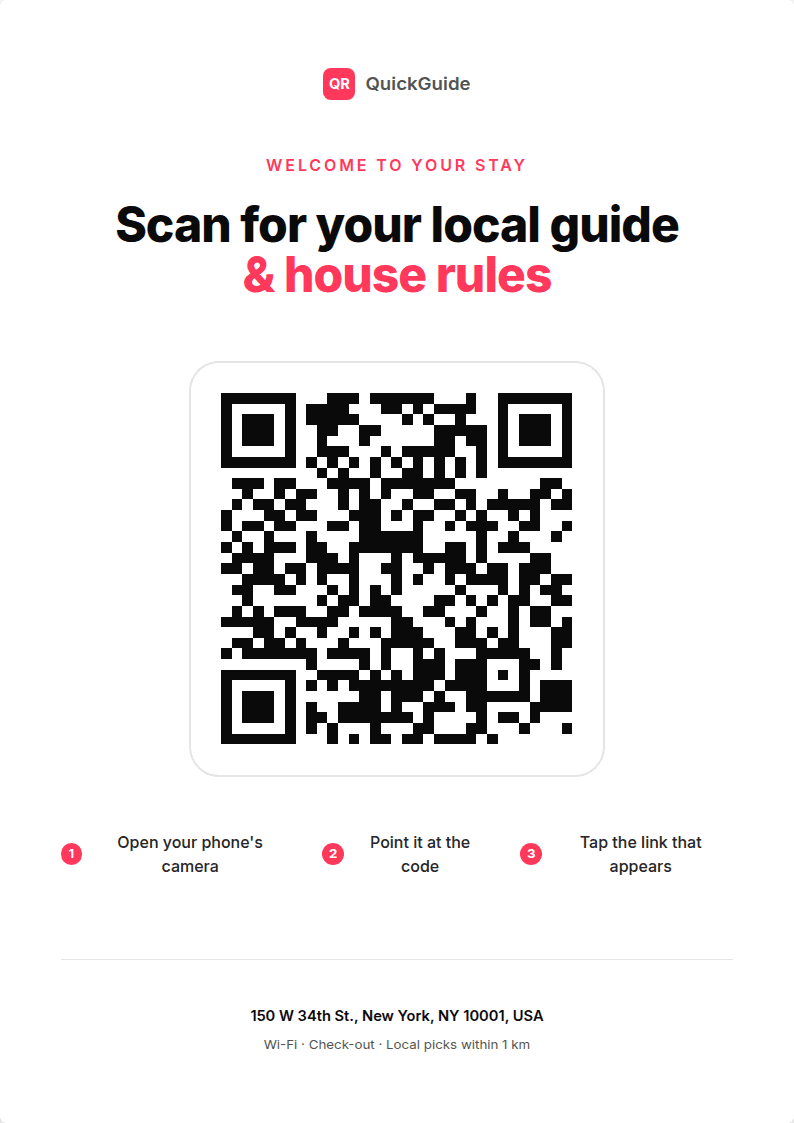
The A4 poster you print and tape by the door.
Tip: scan the QR on the poster with your phone to see the full thing.
Use the sample to check the guest flow before you create yours: arrival basics, Wi-Fi, house rules, local recommendations, and the printable poster all stay in sync.
Skip the welcome book that nobody reads.
Guests scan the QR with their phone the moment they arrive. Your house rules, Wi-Fi, and local recs are all one tap away. You stop answering the same questions over and over.
- Mobile-first guest page — looks great on every phone.
- Local cafe / restaurant / market / pharmacy picks within 1 km.
- House rules, check-out, trash & Wi-Fi all in one place.
- Print-ready A4 PDF poster, no design tools needed.
Hosts are saving hours every week.
“I used to answer the same 5 questions every single booking. Now guests scan the QR and I get zero check-in messages.”
“Setup took literally 90 seconds. The poster looks so professional — my guests always compliment it.”
“Best $1 I've spent on my Airbnb. My rating went up because guests feel taken care of before they even arrive.”
Simple, transparent pricing
Start free. Upgrade when you need more.
Everything you need to get started.
- QR guest guidebook
- Printable A4 poster
- 7 languages (auto-detected)
- House rules, WiFi & local picks
- Editable anytime
7-day free trial · Cancel anytime
- Everything in Starter
- AI Concierge — guests ask, AI answers
- Review Cards — Instagram-ready PNGs
- All future Pro features
Frequently Asked Questions
How long does it take to create a guidebook?
Under 2 minutes. You enter your address, pick a few favorite spots, and we generate the guest page + printable QR poster automatically.
How much does QuickGuide QR cost?
Starter is $1 per poster, one-time — includes the hosted guest page and a print-ready A4 PDF. Pro is $9/month with a 7-day free trial; it adds AI Concierge (guest chat) and Review Cards (Instagram-ready PNGs from your Airbnb reviews).
Do I need a Wi-Fi printer?
No. You download an A4 PDF and print it on any printer (home or print shop). The QR points to your hosted guest page.
Can guests use it without an app?
Yes. They scan the QR with their phone camera — opens directly in their browser. No app install, no account.
What if my house rules change?
Edit the guest page anytime from your dashboard. The QR stays the same — guests always see the latest version.
Which AirBnB markets is this best for?
City apartments, vacation rentals, B&Bs, guest houses — anywhere check-in instructions, Wi-Fi, and local recommendations matter. Used by hosts in Seoul, Tokyo, Lisbon, Barcelona and more.